

Product Updates
Learn about recent new features, improvements, products, and platform updates. Every update is meant to make our customer's workflow and process enjoyable and seamless.
In addition to the existing two-factor authentication (2FA), users can enable passkeys for a faster and more seamless sign-in experience.
New Instagram Story metrics include: Profile activity, profile visits, reposts, link clicks, and follows.
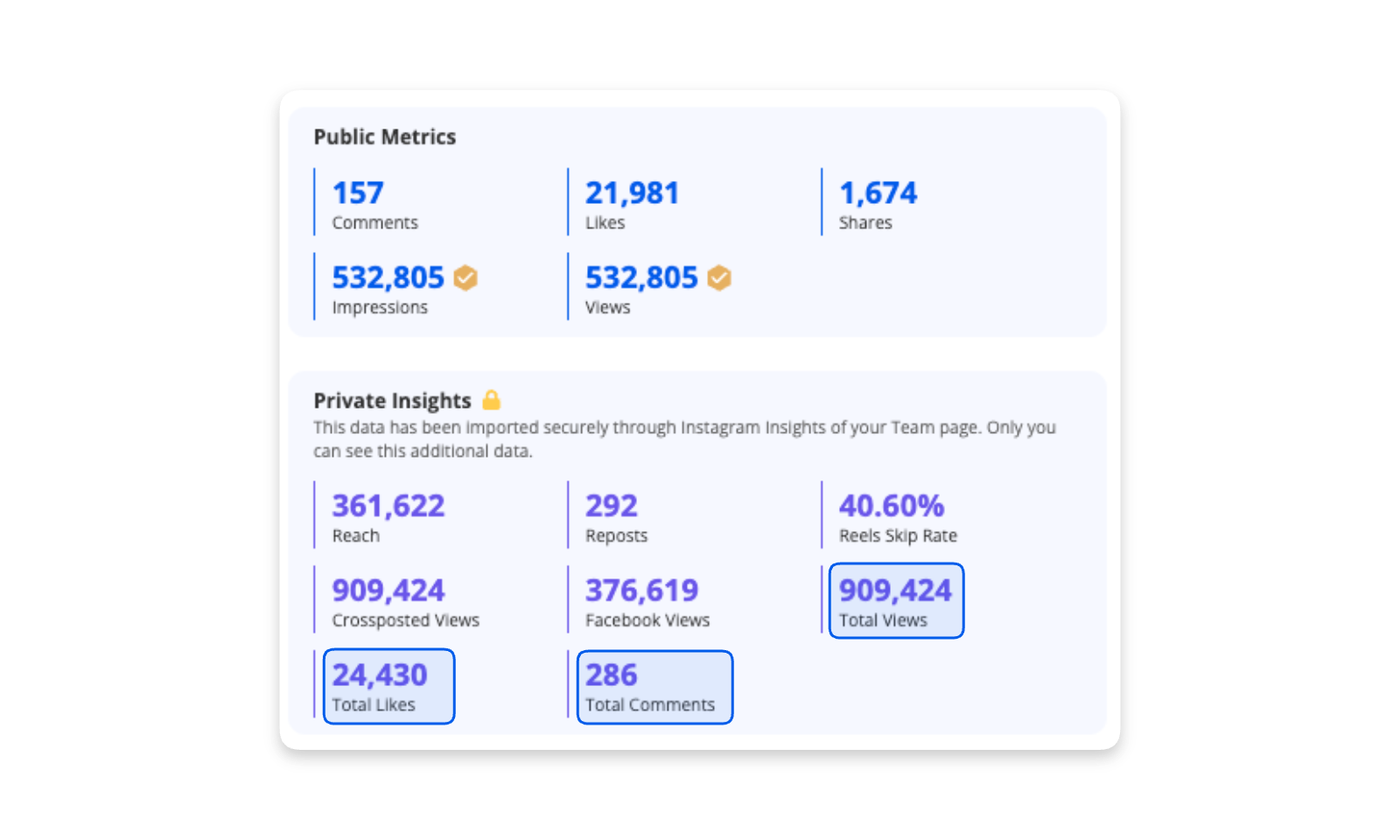
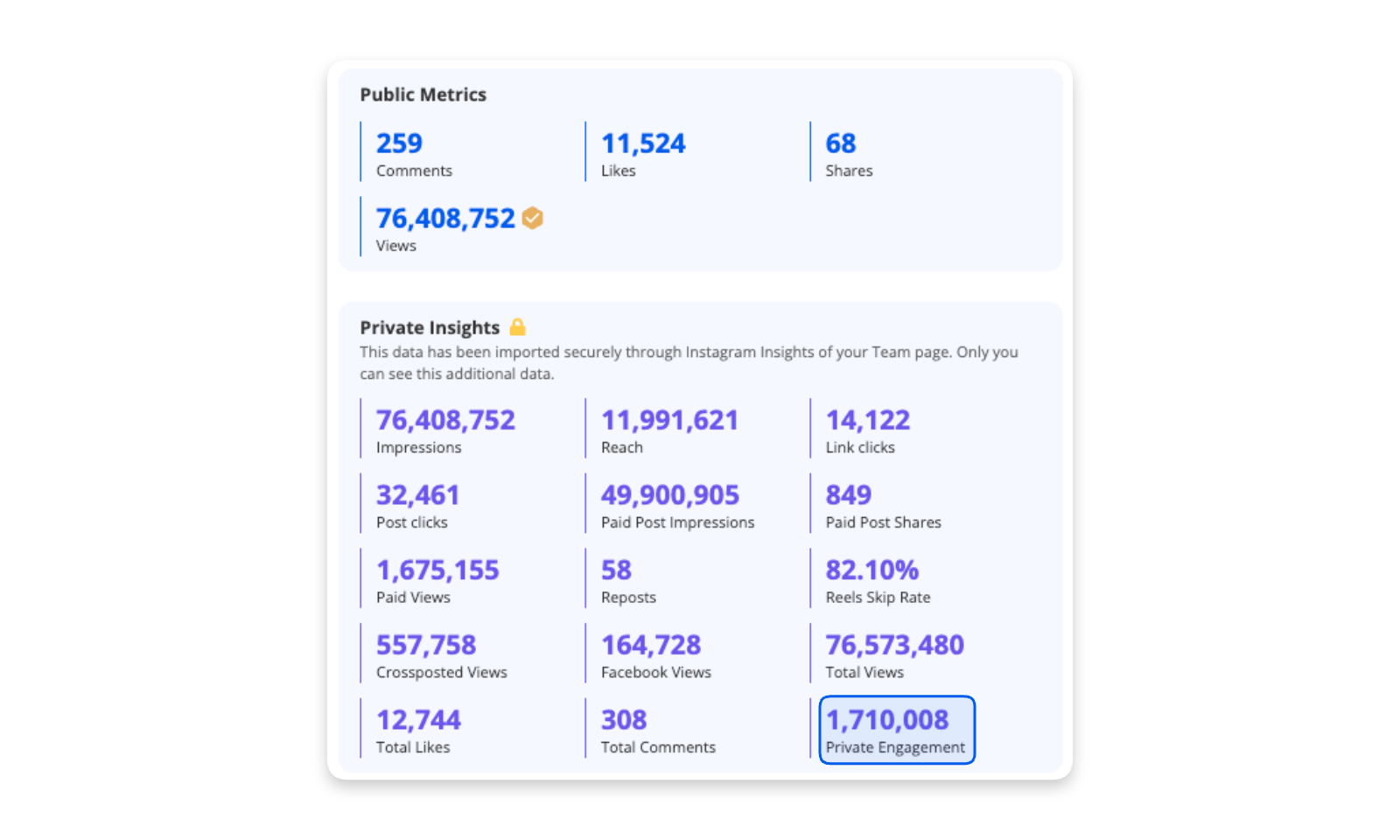
Total Views, Total Likes, and Total Comments are now available through private Meta login access. These metrics account for all surfaces — including likes on associated, promoted, boosted, and ad media.
Dynamic BiliBili posts are now supported in the platform and can be tracked and processed.
Explore daily KPIs across every social channel during specific time frames with the new Social KPIs.
A URL-based content discovery tool that lets users retrieve social and media posts directly from source links.
Customers can now rank Follower growth and growth rates in their dashboards across all social media platforms.
Inventory Manager users can now bulk save posts to a specific campaign, streamlining campaign management workflows.
Inventory Manager users can now create campaigns that have non-consecutive days.
Transcripts now appear directly alongside each broadcast video with searchable, timestamped text — making it easy to jump to the exact moment a brand or sponsor is mentioned.
Search transcripts within Advanced Search, in the same location of keyword search. Select “TV Clip” from the Variety section, and then add keywords.
Chat Assistant updates and design now offer a better experience. They include: chat icon and chat user interface.
The single item brand timeline UI & UX updates make it easier to view the asset breakdown and @mentions are included.
The AI Chat Assistant now supports adding and removing posts to both new and existing playlists — just reference the playlist name in the chat.
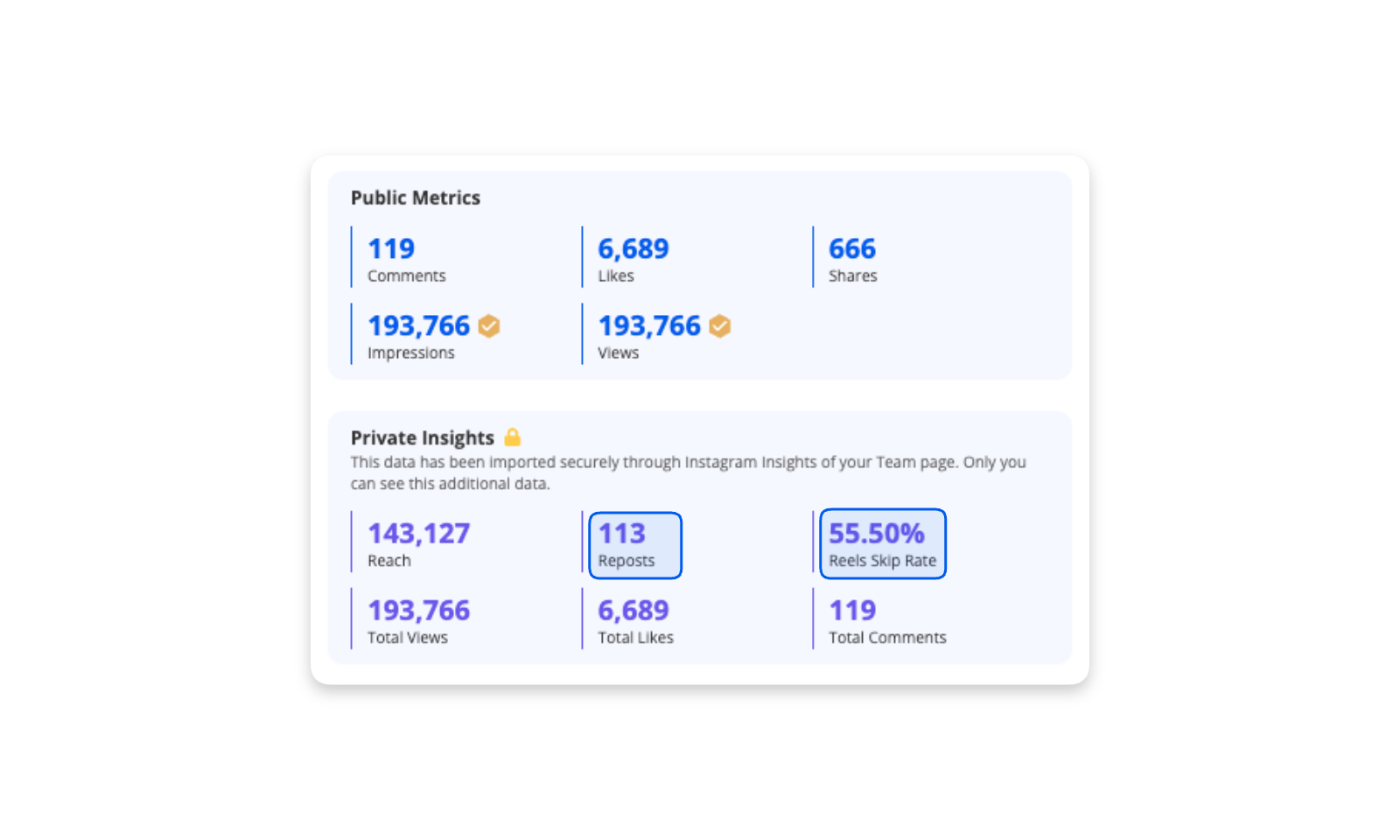
Three new private Instagram metrics are now available: Reposts (organic secondary reach), Reels Skip Rate (percent of views skipped in the first 3 seconds), and Crossposted Views (aggregated Reel views across Instagram and Facebook).
Blinkfire now tracks Facebook Stories. Users must sign in with Meta credentials to access Stories and their associated insights.
Ghost Posts — Threads' newest content format — are now supported in Blinkfire. Users must sign in with credentials to access posts and insights.
A 360° view of every sponsorship asset across owned and earned media — covering social media, broadcast & streaming, physical & in-venue assets, and campaigns. Reports are exportable to Excel at both overview and post-level.
Advanced Search now includes video duration filtering with presets (0–2 min, 0–5 min, 0–10 min) plus a custom min/max range for precise content searches.
Advanced Search now supports Venue as a new author type, covering stadiums, concert venues, and more.
Peak Viewership now shows the highest 1-minute viewership during a broadcast or game (currently UK only), along with a full audience retention graph.
Create customized video clips from full broadcasts and individual social posts. Add a title, select detected brands, choose a valuation strategy (full or partial), and all clips are saved to your personal TV Clip Library.
A centralized library listing all clips sourced from TV/broadcast and social media. Clips display valuations and brand spotting, and can be exported directly to playlists.
Purchase a Blinkfire license without the sales team. Self-Serve is available for Analytics (silver), Inventory Manager, Benchmarking, Broadcast & Streaming, and Trends.
The post feedback interface has a new look. Users can report problems and leave detailed comments on detections or values that seem off — sent directly to the content team for priority review.
The Chat Assistant now supports Entity Group operations — query, create, edit, or delete entity groups directly through chat.
An AI-powered assistant built into Blinkfire. Explore trending content across teams, leagues, brands, and creators — surface insights and performance data in seconds without building queries or reports manually.
A 360° view of sponsorship value driven in-arena. Powered by the Ticketmaster Nexus partnership, teams can now link social engagement, sponsorship exposure, and ticket sales in one report.
Ad rates for Threads are now available. Price your digital inventory using real-time ad rates across TikTok, X, Instagram, Facebook, and Threads.
Two new API endpoints: Entity Ping (query existence of a social account by username) and Content Similarity Matching (provide a content URL to find all identical images or videos across platforms, with full post metrics).
Formula 1 asset detection now categorizes into two groups: F1 Car (Sidepod, Rear Wing, Tire, Nose, Halo, Front Wing, Engine Cover) and F1 Track (Trackside Runoff, Barrier, Overhead, Lap Time Board, Pit Wall, Racing Adboard, Stands, Pit Lane Clock).
Engagement for Instagram boosted posts and Facebook dark posts is now calculated using public engagement only. Private engagement remains available as an optional field in exports and via the Developer API.
When an entity collaborates with a brand on a post, it now appears under a new interaction type — Collab Posts. Exposure, reporting, and valuation follow the same flow as text mention exposure types, with the brand receiving full post value.
Advanced Search now enforces brand-level access controls. Users can access brands covered under their license, while unlicensed brands show a data preview.
Filter Advanced Search results by Media Origin — either Owned Media or Earned Media — to quickly focus on the right content type.
Games with multiple broadcasts now show all aggregated data in one place. You can still drill into individual broadcasts via the single-item-view link in the table.
Updated machine learning audience models for UK coverage: EPL games use a model trained on Barb TV data; non-EPL games use a model trained on Kinetiq TV data.
A new Brand & Asset combo metric makes sponsorship asset reporting more efficient — see exposure and valuation for specific brand+asset combinations in broadcast and streaming.
The trend analysis section is expanded for long date ranges. A new game filter lets users focus on a specific game and its data. Icons and map scaling are also improved for better display across screen modes.
New API endpoints for: Broadcast Leaderboard (valuation and exposure by brand, asset, or brand+asset), Broadcast Games (home/away teams, media companies, date, valuation, viewership), and Broadcast Posts (sort and filter by valuation, viewership, or date).
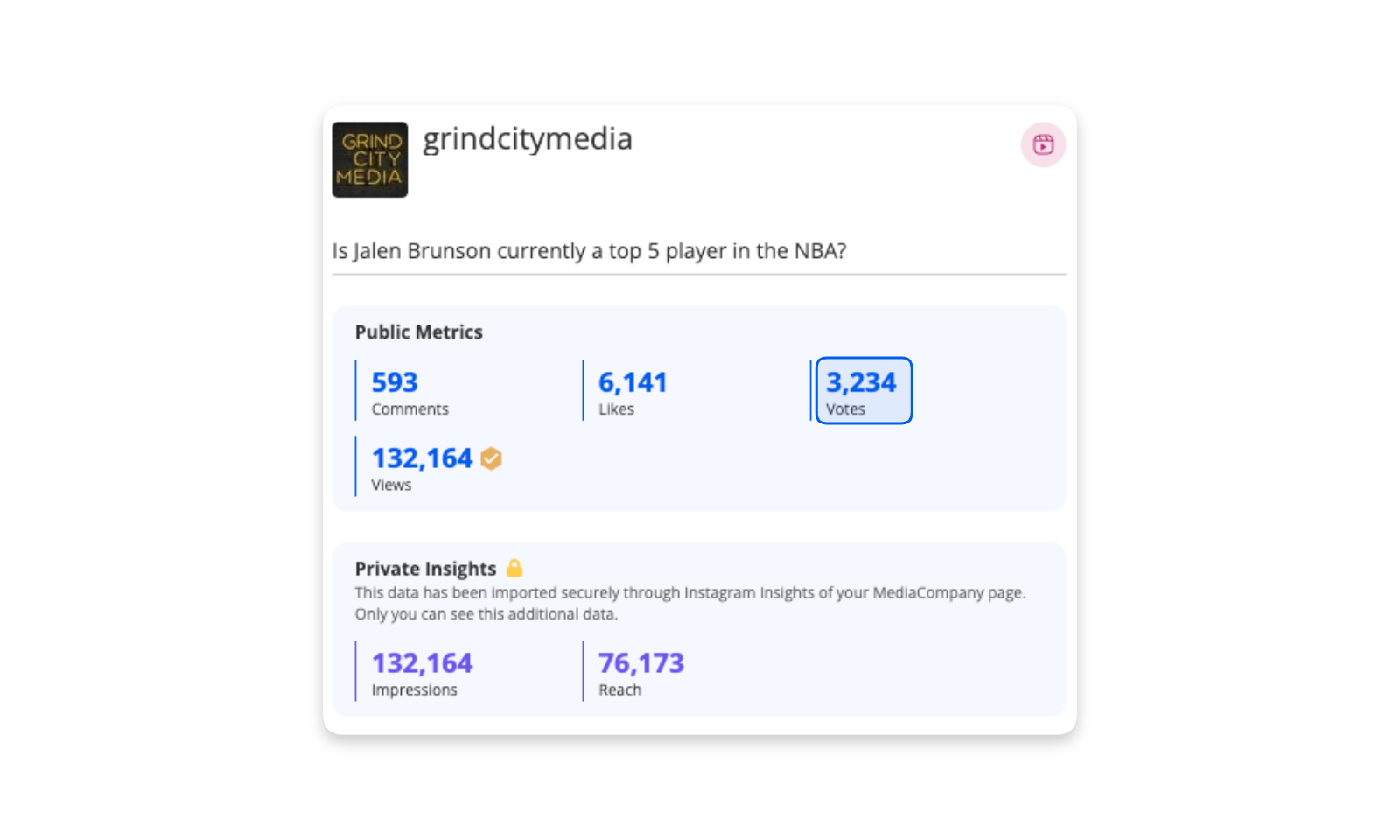
Blinkfire now captures Instagram poll interaction data. Vote counts are shown via the votes metric in single item view.
Video view reporting is simplified by consolidating various fields (video views, view count, etc.) into a single Views metric. Estimated views are now clearly distinguished with an estimated icon. The KPI card now breaks out total, real, and estimated views — consistent across reports, SIV, exports, and APIs.
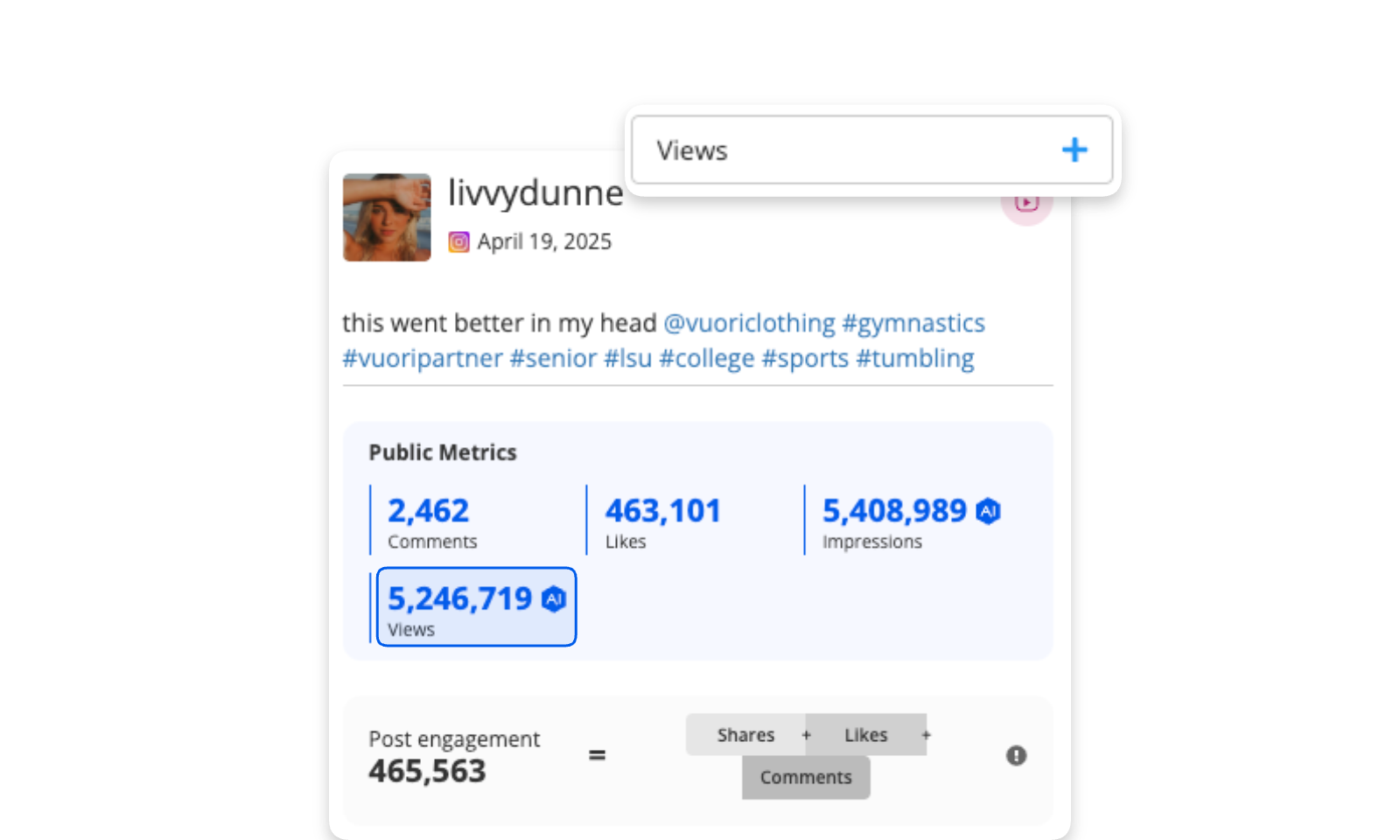
The video view KPI card now distinguishes between actual and estimated video views, with revised estimation logic based on post-level estimation (instead of engagement-ratio estimation).
Private engagements are now reflected in Sponsorship, Media Engagement, Scene Value Report, Active Passive, Match Day vs. Non-Match Day, Sponsorship Performance Hub, KPI, Goal, and the Dev API — for users with access to private data.
A major update to Blinkfire Talent: new UI, rate cards, deep social media metrics, post snapshot view, brand safety score, campaign tracking, easy-to-use lists, a dedicated Scouting section, and a standalone product menu entry.
Save Benchmarking presets and pin them as favorites for quick access when running leaderboards and insights.
Search your saved Benchmarking presets and share them with other members in your license group.
Filters now apply to the entire Broadcast Report (not just the brand leaderboard). New filter options include National/Regional Games and Official Brand Filters — pulled from brand associations on each entity's admin page.
A single 1-minute broadcast clip can now contain multiple keywords with multiple mentions (e.g., 2× "Detroit Lions" and 2× "Dan Campbell" in the same window). Clips are consolidated to reduce duplication, and a new # of Mentions metric tracks mention frequency.
Beyond the US map, Canadian and UK regional viewership maps are now available, with audience breakdowns showing how games are watched in each country.
Blinkfire provides TikTok follower and viewership demographics — giving you the insights needed to understand your audience, optimize content, and maximize partnerships.
Private, post-level insights for authenticated TikTok accounts are now available. Users who authenticate their TikTok account in Blinkfire get access to these deeper metrics.
Blinkfire Benchmarking has a fresh new look. Insights & Rankings are available for owned and earned media, with a cleaner, more scalable layout and full-width reports.
Quickly search for TV clips for earned media reporting — including game highlights, shoulder programming, and more — using the new clip filter in the broadcast report.
As a Ticketmaster Nexus Partner, Blinkfire gains comprehensive ticketing data directly from the source — enabling integration of real-time ticket sales, demand trends, and fan engagement insights across marketing, sponsorship, and audience strategies.
Track and analyze Snapchat posts in Blinkfire: Stories & Spotlight post tracking, follower growth & total followers, and demographics by location, gender, and device.
Track follower growth driven by individual posts directly in Blinkfire's post view.
AI-powered search for product placement detection — particularly useful for fashion brands. Search for specific items like a Louis Vuitton bag or Nike footwear across posts.
Using Blinkfire's asset detection, computer vision, and AI, the platform can now identify which teams are present in an image or video highlight — without requiring keyword associations.
Prospect, compare, and manage influencers, athletes, musicians, and celebrities. Measure engagement and impressions to identify rising stars, assess partnership value, and drive smarter collaborations.
Real-time viewership insights across US regions, with transparent audience and partnership valuation for TV broadcasts that brand partners can trust.
Exportable real-time viewership insights including DMA analysis, viewership over time, and viewership broken down by age & gender.
Our AI-powered broadcast solution delivers comprehensive, near real-time earned media reporting. Use keywords to pull viewership and valuation by brand, asset, and media company — exportable via platform and email.
The TV Broadcast report now supports exports across all TV product features — including total viewership, potential value, brand value, asset value, and more.
Users can now flag posts with issues in brand spotting, KPIs, or other post details. Hover over "Detection seems off?" and click Flag — our team gets alerted and reviews quickly.
Bluesky is now supported in Blinkfire. Track, value, and report on Bluesky content across all Blinkfire products.
Blinkfire now supports Instagram collab posts. Analytics data is assigned to the primary author only, and all collaborative posts are searchable under "collaborative authors" in Advanced Search.
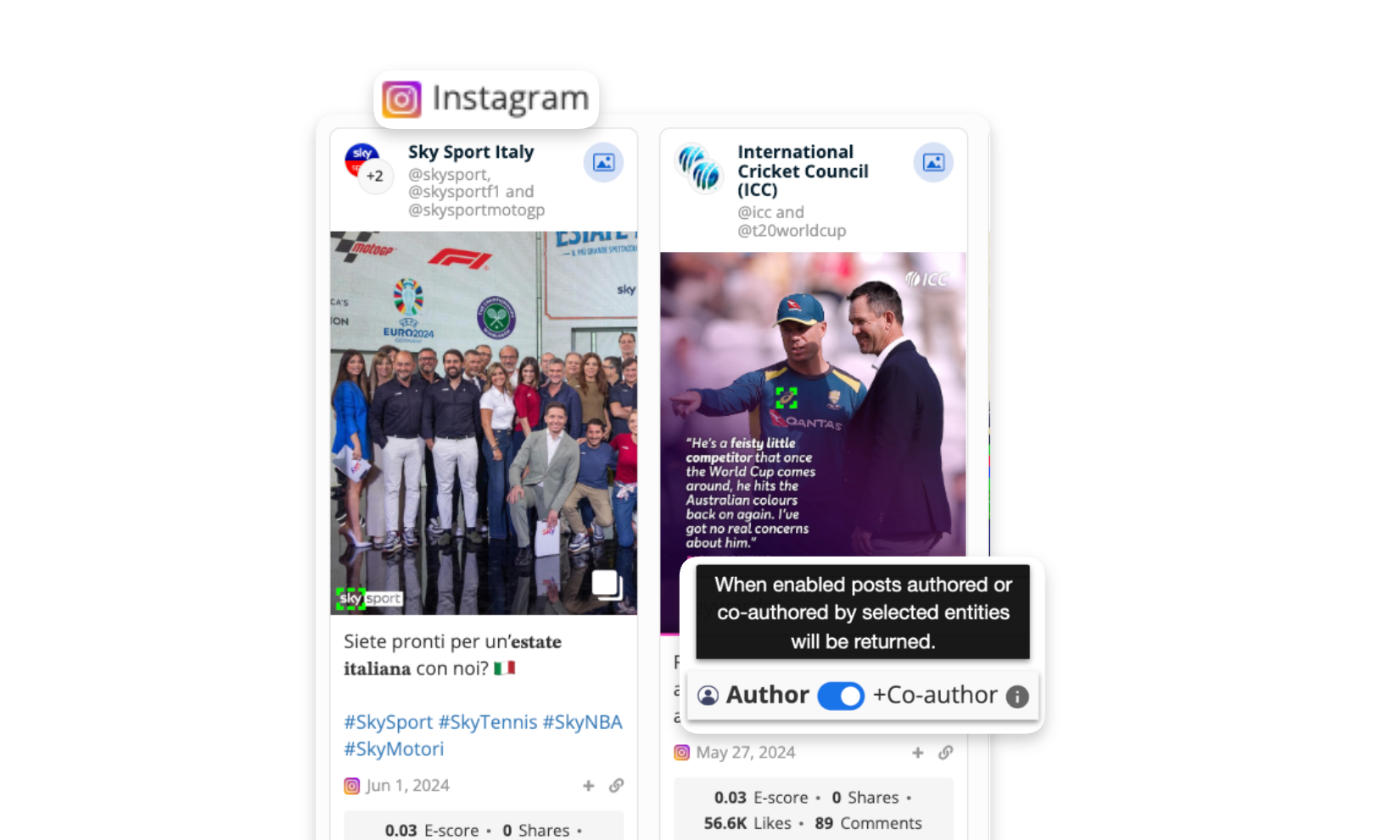
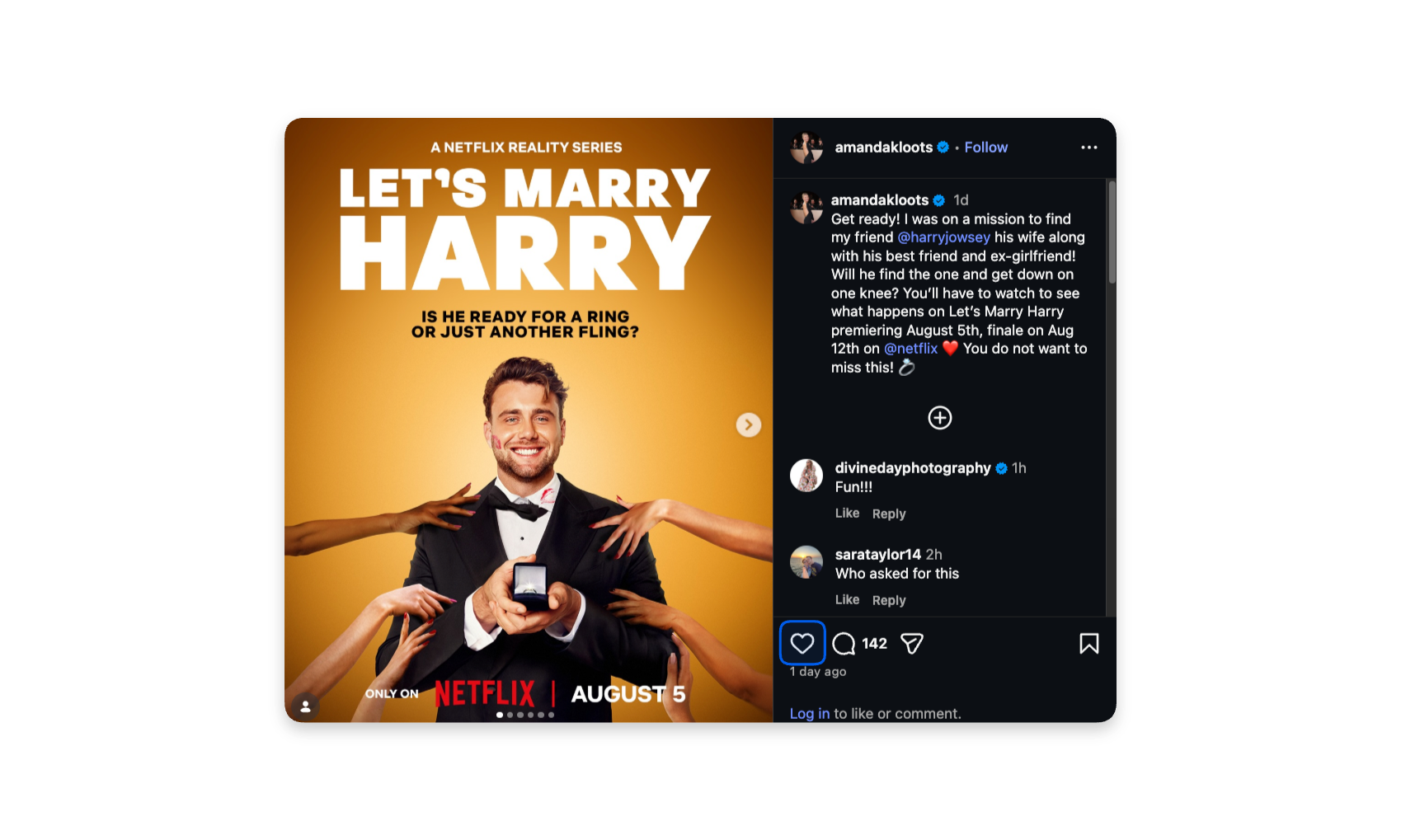
Users with private data access can now view hidden Instagram like counts across the entity home page, reports, playlists, Advanced Search results, and all post-listing tables — and include this metric in exports.
When creating entity groups, users can now easily break out by teams within a chosen league without including the league itself.
Blinkfire Benchmarking expanded to include the Premier League, joining the existing NBA, NHL, MLB, MLS, and LALIGA leagues.
Easily separate owned versus earned content when benchmarking. Whether looking for a specific asset or brand exposure, this new segmentation shows the full picture side by side.
A redesigned sidebar navigation: wider layout, easier product switching, categorized menu items, direct API access, and pinned favorites across all products. Also includes a platform walkthrough for first-time users.
Blinkfire data and products are now available in the Google Cloud Marketplace — including social advertising ad rates, sponsorship analytics, and sports & entertainment social media data. Purchase using Google commit.
Blinkfire now supports Bilibili, the Chinese video-sharing platform. Track and value Bilibili content with Blinkfire's full suite of reporting tools.
Blinkfire's demographic report now supports Threads via the official API. Get follower insights by gender, age, city, and country.
Blinkfire handles Instagram's hidden likes option: authenticated accounts see hidden likes privately; unauthenticated accounts see public likes only when not hidden.
An innovative social media tool designed to track and analyze real-time content. Includes content discovery tools and competitive benchmarking to identify key influencers and the latest trends.
BIM users can create and manage their own custom inventory categories to better structure and reflect the segments they sell.
Users who set up Goals on Deals can now see performance broken down per placement, automatically split by the corresponding placements on a target asset.
Set up campaigns using target images as examples — Blinkfire uses image similarity to automatically collect matching posts. Upload one image and the system finds all similar posts across your entity's content.
Facebook channel metrics have changed from likes to followers, aligning with Facebook's updated API and better reflecting true audience size.
The "brand seconds" metric is now called Viewer Time. Updated across the Sponsorship Report, Playlist KPI, single item view, Asset Report, exports, and API. Also expanded to the asset level for more granular insights.
Logo impressions count each continuous exposure of a brand's logo — every bar in the brand timeline where a logo appears is counted separately. Available in individual post view, Broadcast Report, and Playlist Report.
Blinkfire's AI and computer vision now automatically detects the type of sport in media company posts. Posts from media companies include asset-specific data across hockey, soccer, baseball, basketball, and more.
All uniform asset breakdowns can now be filtered to include or exclude in-asset searches, with support for Tier 1 (Uniform), Tier 2 (Top, Shorts), and Tier 3 (Top Front, Top Back, Sleeve).
Blinkfire now supports multiple scene tag detection in video. The single item view displays multiple scene tags simultaneously in the brand & scene timeline.
View the status of any inventory item across proposals and deals from a single asset card — showing available units, pending units, and accepted proposals, plus a searchable filter between proposals and deals.
Associate a hard cost (e.g., tickets or signed jerseys) with delivering a specific sponsorship asset. Hard costs appear in Inventory lists and Proposals for quick profitability assessment.
Toggle on the exclusion feature and click specific posts to remove them from a campaign's data — giving you full control over what counts.
Filter campaign executions by brand in the Campaigns tab, enabling side-by-side comparisons for branded campaigns.
A new partnership that revolutionizes media valuation and measurement for broadcasters across global markets — delivering strategic planning insights, content value assessment, and revenue optimization.
Blinkfire and Agilitek are now integrated — manage your entire sponsorship CRM workflow from inventory management to performance measurement in one turnkey solution.
Users can now sort posts by impressions, video views, and valuation — in addition to the existing e-score, engagement, and recency options.
The Sponsorship report charts now use stacked bars with the top 5 entities listed separately plus all others combined — plus individual brand charts at the bottom for a more efficient, visual data experience.
Benchmark and rank brand exposure, sponsorship assets, and social metrics in one dashboard — powered by Blinkfire's AI and computer vision technology. Available for rights holders, agencies, media companies, and brands.
A centralized platform to monitor all broadcast data. Provides a comprehensive overview of broadcast events including total valuation, viewership, and associated media companies — with deep dives into brand and asset breakdowns per broadcast.
Connect Salesforce to Blinkfire Inventory Manager to easily sync assets and inventory between the two platforms.
BIM users can share live links to Deals with brand partners. External recipients receive an email invite to create a free Blinkfire "viewer" account — giving them access to track partnership asset performance without a full license.
Send proposals externally via email with selected details, custom notes, and pricing. A downloadable PDF of the proposal is automatically attached.
BIM users can configure campaigns with granular rules — include/exclude attributes, pick media types, networks, targeted countries, and varieties. Also set conditions based on visual detections of campaign lockups.
Generate pricing analytics for your tracked inventory — including average asset sales price, sell-through rates, and media performance insights showing how much media value each asset is driving.
Pin columns, reorder them, or hide them to build custom data views that persist across sessions. Also toggle between normal and condensed row density to see more data at once.
Admin users can now view the last activity date of team members under "Manage Teams" — making it easy to identify and remove inactive users from the group.